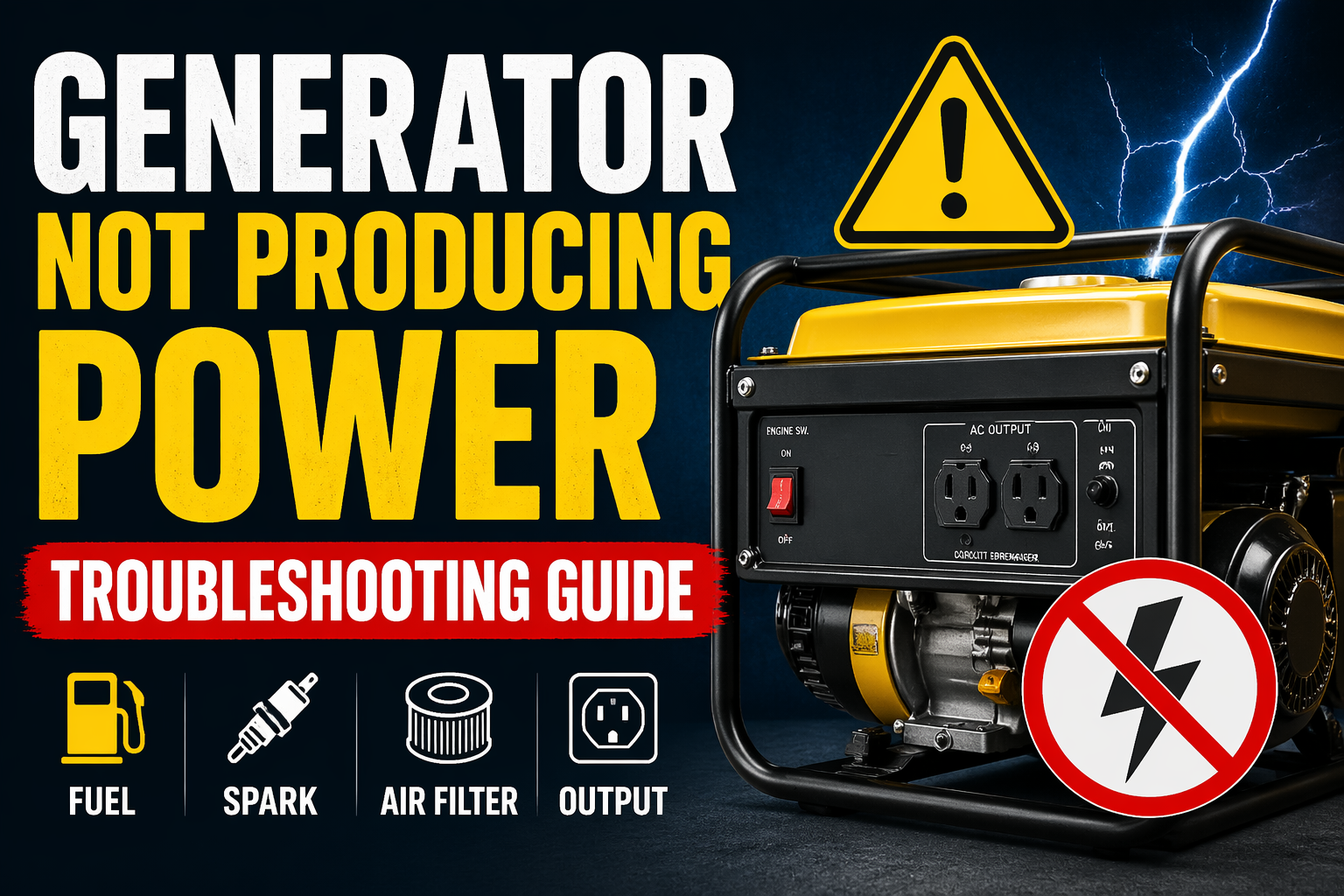
In the middle of a blackout, when you switch on a generator, none of the lights are powered on. The panic starts to build. No matter why the engine is not starting, the scary thought of something being wrong with the generator sets in. Thus, if you know how to troubleshoot a Generator Not Producing Power immediately, you can easily avoid any expensive permanent damage.
This guide by HuaQuan covers the top reasons why the generator fails. And we have a step by step guide for you to diagnose what’s wrong with the generator and how to fix it ASAP.
Common Causes: Generator Not Producing Power
When the generator engine does not combust, the alternator is unable to generate any electricity.
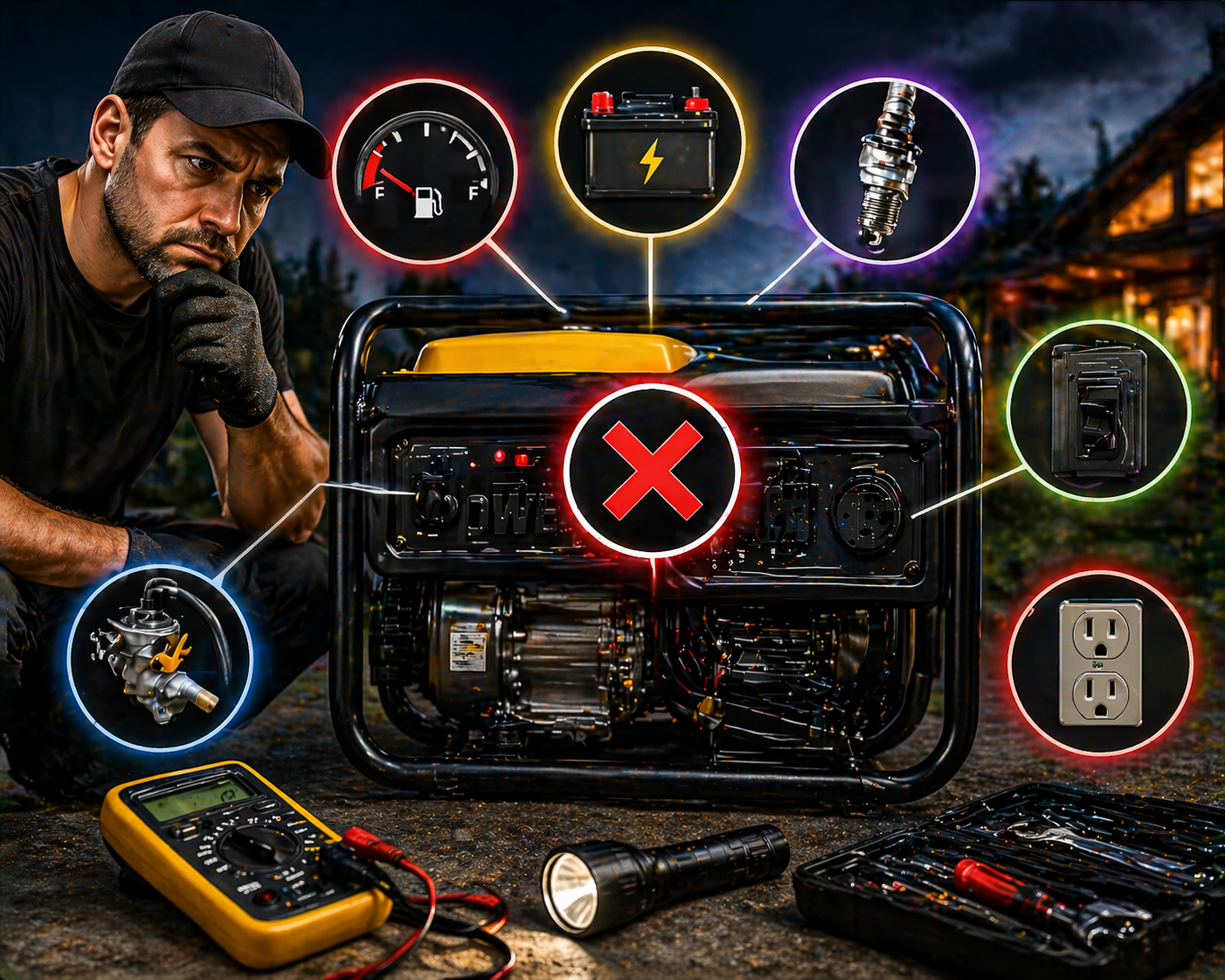
- Empty fuel tank: With the faulty, not working fuel gauge, people misinterpret that their fuel tank is full even when it’s completely dry.
- Old or contaminated fuel: Gasoline usually breaks down after a few months of storage. It turns into a sticky varnish that clogs the engine and other system components. With diesel fuel, water condensation will entirely turn off the combustion process.
- Fuel filter clogs: If there is rust or tank debris on the filter, the fuel does not reach the engine’s injectors or carburetor.
Electrical Problems
There are times when the engine sounds perfect. But the generator does not produce any electricity.
- Faulty wiring: From holes, rodents enter and chew down the wires. Or the engine vibration loosens the connection between the alternator and your power outlet.
- Loose or corroded connections: With zero maintenance, the rust and green oxidation settle in the terminal connection, which fluctuates the power flow.
- Blown fuses or circuit breakers: During a short circuit, the Generators built in safety Breakers immediately tripped down to cut off power production.
Engine Issues
In modern generators, the manufacturing companies install protective sensors to shut off power production. It helps the users save their generator engine from self destruction.
- Oil levels too low: Generally, there is a low oil shutdown sensor installed in generators. If the oil inside the crankcase is low, it will immediately turn off the ignition process.
- Overheating or engine malfunction: When the intake lowers are clogged or cooling fans are blocked, the engine seizes under heavy load.
- Air filter blockages: Dry air filters cause insufficient oxygen to supply the engine. Ultimately, the generator fails to reach the maximum RPM necessary to produce electricity.
Starting System Failure
Remember, if the engine does not start, you will not get any electricity.
- Faulty starter motor: The engine makes a sizzling or hard grinding sound when the starter is burnt out or jammed.
- Dead battery: Modern electric generators do have an automatic 12V battery. If the battery is dead, the motor will not start.
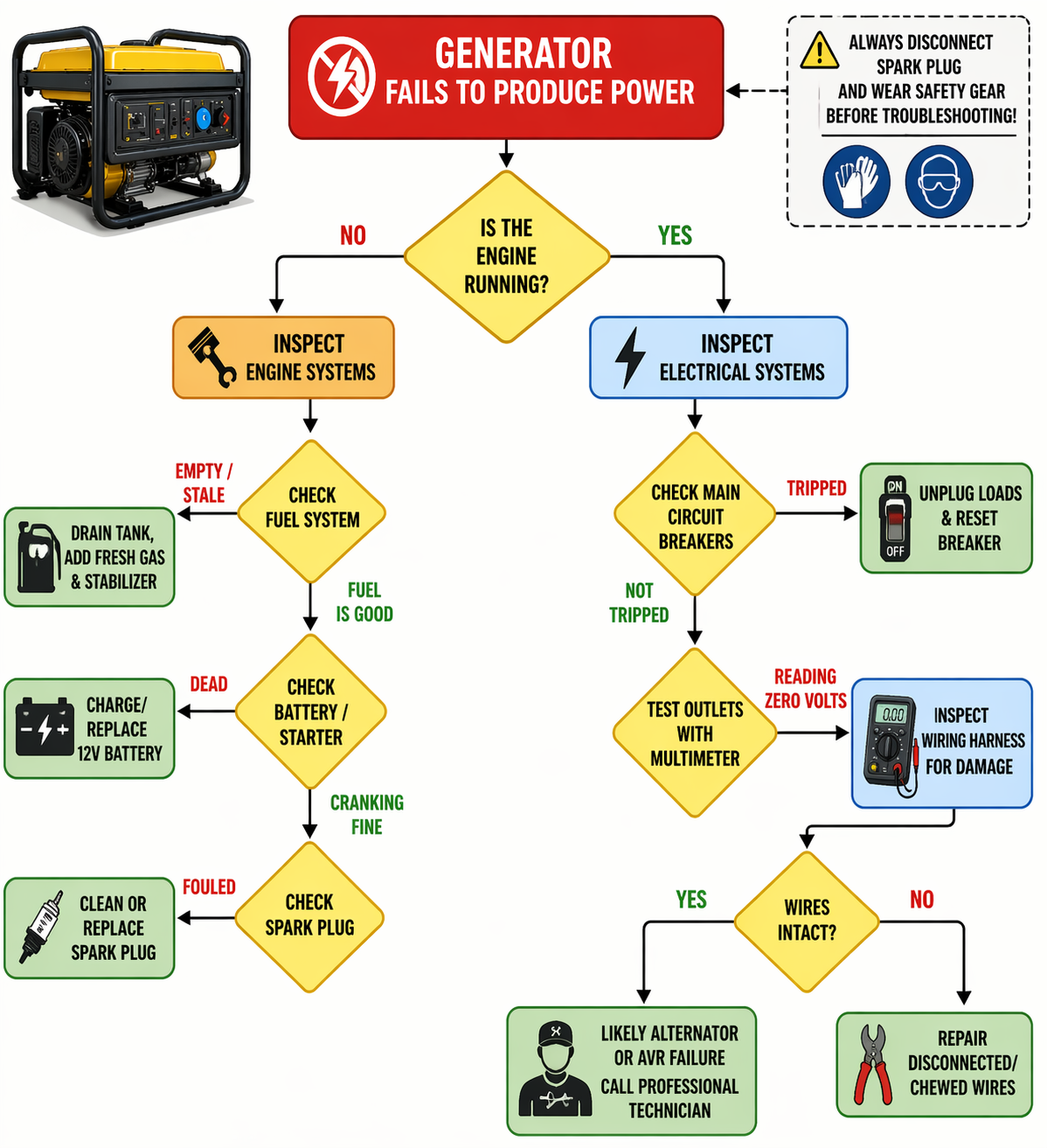
Step-by-Step Troubleshooting Process of Generator Not Producing Power
Step 1: Check the Fuel System
- Ensure there’s enough fuel: Experts recommend frequently checking your fuel tank level with a clean dipstick or flashlight. Do not rely on your fuel gauge levels.
- Inspect fuel lines and filter for clogs or damage: keep an eye on the rubber lines. If there are any clogged inline filters, immediately replace them.
- Drain and replace old fuel: When your fuel turns 6 months old or has a foul smell, drain your fuel tank and carburetor. Refill it with fresh fuel mixed with a high quality stabilizer.
Step 2: Inspect the Battery
- Test battery voltage: Set the DC voltage with a digital multimeter. A perfectly working 12V battery has 12.6 volts. If the voltage is below 12V, connect it to the charger.
- Check for loose connections or corrosion: Regularly clean any crusty or white acid buildup around the battery terminal with the wire brush. After cleaning, make sure to tighten the cables.
Step 3: Examine the Circuit Breakers and Fuses
- Reset or replace any tripped breakers: Have you checked the control panel? Are all the breaker buttons in place? If not, push it back. Now, turn on the switch. If the breaker button pops up again, your generator is currently having a short circuit that can destroy your appliances or system wiring.
- Replace blown fuses: Check for any blown fuses or blades in the engine wiring. Ask for some professional help to replace them with the right, compatible blades.
Step 4: Test the Wiring and Connections
- Inspect for any loose or disconnected wires: When the generator is turned off, double check the thick wires connected from the alternator to the control panel receptacles.
- Look for signs of wear or corrosion: Find out any loose grounding nuts, scorch marks or melted insulation.
Step 5: Examine the Spark Plug and Ignition System
- Check spark plug for wear or damage: It’s time to check your engine spark plug. If the plug has a thick black carbon soot or is wet with oil, the engine will not run when needed.
- Replace if necessary: Spark plugs are available at low prices in the market. If somehow the ceramic insulator is cracked or your metal electrodes are worn out, replace them with new ones.
Step 6: Test the Load and Output
- Ensure the generator is not overloaded: For a load bank test, unplug every appliance from the generator. Turn on the generator with zero load. Once it reaches the normal power, plug all the appliances one by one. Do not overload the machine, as it will immediately trip the safety breaker.
- Verify proper voltage output: With the multimeter, check the power generator voltage output. It must be 120V or 240V.
How to Prevent Power Issues with Your Generator
- Regular maintenance routines: Follow the recommended schedule for oil filter, spark plug and oil change; the manufacturer suggests for maximum performance.
- Fuel and battery care tips: Connect your electric batteries with the smart charger when not in use. Add fuel stabilizers inside your fuel tanks to add some extra shelf life. Always run your generator weekly under a load, so fresh fuel passes through your engine carburetor.
- Cleaning and inspecting wiring: Keep your generator in a cool, dry place. Every year, open your generator’s control panel to double-check whether all the wire terminals are tight and dust free.
When to Call a Professional
- Persistent power issues after troubleshooting: Have you followed all the troubleshooting steps listed above? Still, your generator is not producing electricity? It’s time to call a professional, as the quick, simple DIY tips and tricks are not fixing the problem.
- Complex electrical or engine problems: If the automatic voltage regulator fails or the residual magnetism is no longer working, call a certified technician to fix this problem. They replaced the burnt out alternators with fresh ones.
- Major parts replacement: Never try to rebuild the generator carburetor or replace your engine’s internal gears. This needs professional help. Leave it to them.
Safety Tips When Troubleshooting a Generator
- Disconnecting power before working on the generator: Habitually remove the spark plug wire. Disconnect any negative battery cables before working around the electrical panels.
- Wearing protective gear: Always wear safety glasses to protect yourself from any battery acid or separate fuel. When working with hot engine parts, it’s better to use heavy work gloves.
- Keeping the work area clean and dry: Do not troubleshoot your power generator in rain or snow. Also, never try troubleshooting a power backup unit standing in a puddle, as it will increase the chances for electrocution.
Final Thoughts
Remember, generators are not set in forget machines. On time, scheduled routine maintenance is the only way to keep your setup available for reliable power during any emergency call.
Quick and on time diagnostics for tripped breakers, low oil levels, or dirty spark plugs can help you save the day without paying for unnecessary repair bills.
Frequently Asked Questions
Why does my generator not produce electricity while running?
It might be that your generator has a failed Automatic Voltage Regulator (AVR). Or the circuit breaker is tripped. Sometimes, the residual magnetism inside the alternator’s jamming leads to a generator not producing power.
Does an overloaded generator stop power production permanently?
No. Usually, an overload will ultimately trip the internal circuit breakers to keep your generator from crashing. It’s better to unplug the heavy loads. Then, reset the breaker to restore your generators’ power production ability.
How will I know if my generator alternator is broken or not?
Suppose your system engines run smoothly at normal speed. Every breaker is in place. But the multimeter is reading a zero voltage signal at the outlets; either the internal AVR or the alternator has failed.
If, after following all the troubleshooting steps, your generator is still down. Contact HuaQuan immediately for professional diagnostic services and an upgrade to our ultra reliable power system you can always trust during an emergency.